
AI Workflow // Designing With AI
Reflections on bringing Claude Code into a real design process
~ 6 min readOverview
A reflection on how my process changed once Claude Code became my design collaborator.
In short: prototyping got fast enough that I could iterate straight away on end-to-end workflow logic instead of static screens, documentation moved from an end-of-project deliverable to an ongoing one, and the most demanding problem was not the quality of the AI's output but keeping a fast-growing system consistent with itself.
An end-to-end example of Claude Code as my design collaborator referenced in this reflection is my Visa Disputes // Custom Reports case study.
Key Process Changes
Once a working build took about as long to produce as a mockup, static screens stopped being the right unit of iteration. I could validate a flow before anything was pixel-perfect, so end-to-end experience issues surfaced while they were still easy to fix.
The more meaningful shift was what counted as "ready to review." A finished-looking screen can still hide broken logic; a rough prototype that actually runs cannot.
That distinction matters more now than it used to. AI tools make it easy for anyone to produce a prototype that looks polished at a glance. The gap shows up under scrutiny: usability, completeness, what happens at the edges. Most of what I saw held up fine on the surface and broke the moment it was actually tested against real use. That gap, between something that looks done and something that is done, was where the value I added actually lived.
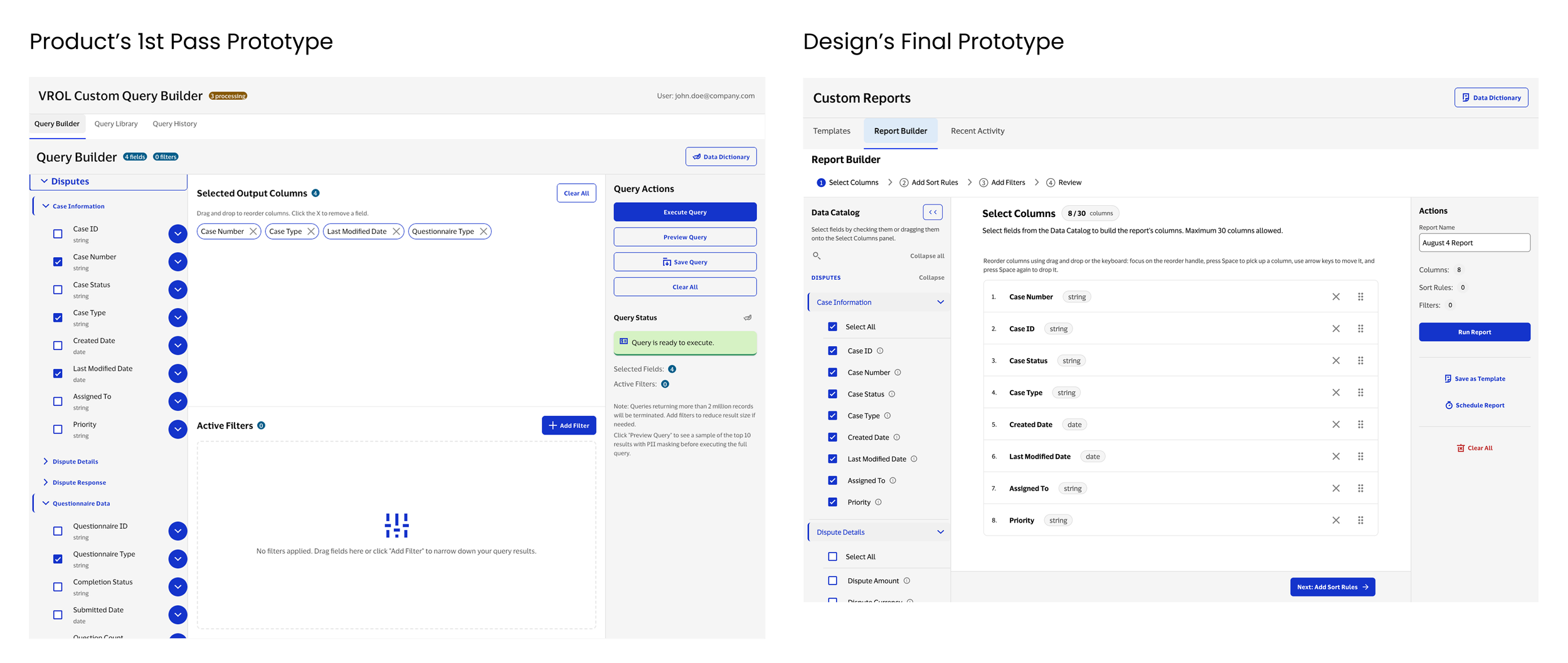
Product's own prototype of the feature, built from requirements without design involvement, had no real flow logic: about 15 components and 5,500 lines that mapped surface-level behavior. Working in Claude Code over a 9-week engagement, I built that out into a robust report builder with full scheduling system, edit views, and every confirmation and edge-case dialog, ending at 28 components and roughly 13,000 lines. The jump in size is really a jump in completeness: the first version showed what the feature could look like, the second is what it would actually take to run it.
The Shift: Prototypes Replace Mockups
I was the only designer, but none of my decisions were made in isolation. Every iteration ran through a close loop with product and engineering: live working sessions reviewing the running prototype together, rather than a design-then-handoff sequence.
Watching someone use the prototype surfaces questions a static mockup would not, and because the prototype was easy to change, I could often adjust the flow within the session.
Requirements shifted from something received once to something we continued to refine together against a working build.
The high-level, iterative process: requirements and discussion, then a rapid prototype in Claude Code, then a live review with product and engineering, then decisions built into the logic, then the next round of questions from using it. Repeat.
The Workflow: From Handoff To Loop
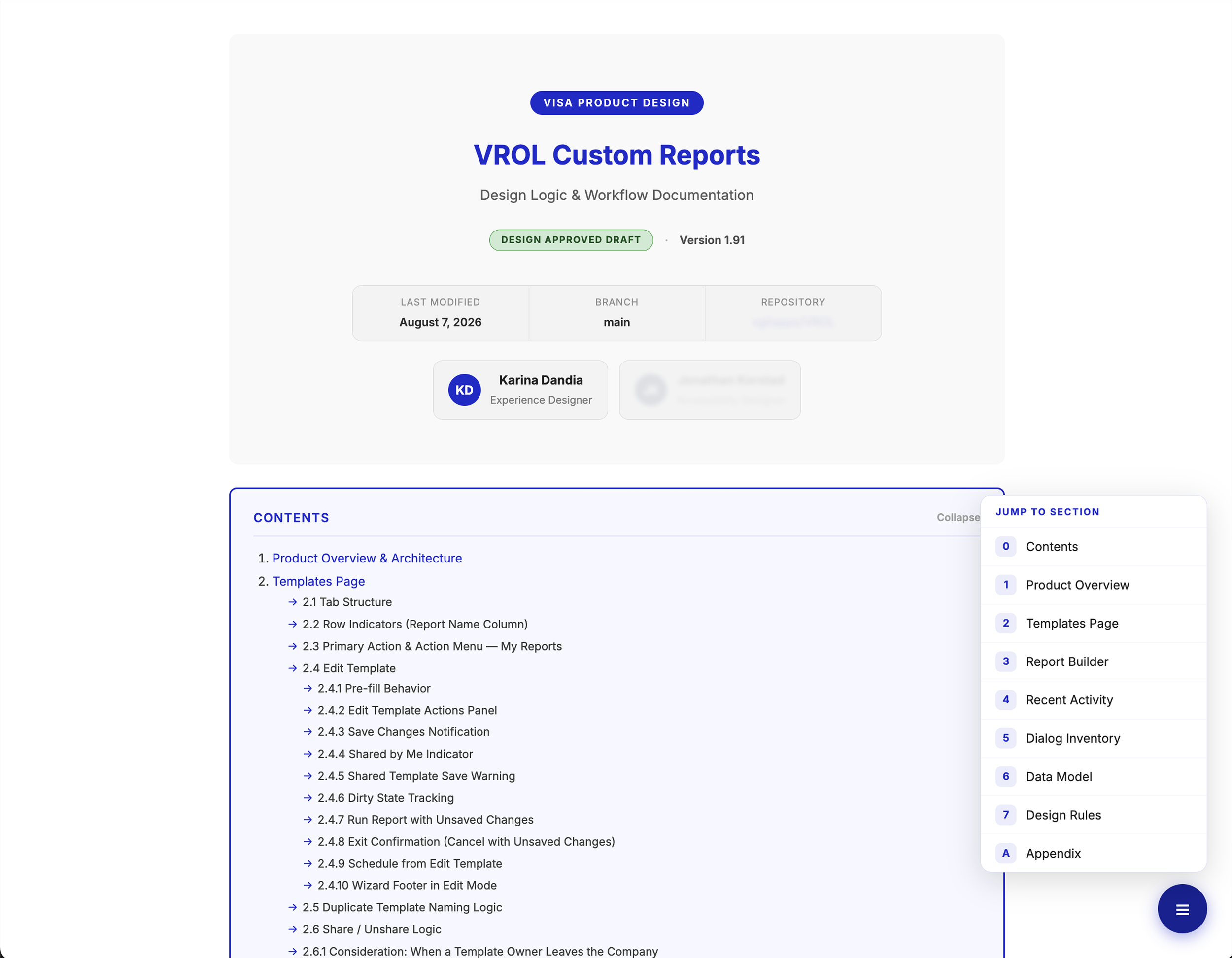
The clearest evidence that the documentation was not overhead: product's initial requirements produced a high-level, AI-generated prototype with the right shape, but the experience still required substantial design work to hold up. I developed it considerably from there, building in decisions and logic that came out of ongoing discussion, so that the prototype became a tool for working through requirements rather than only an output of them.
Finished code does not carry that reasoning. It shows what was built, not why, or how a pattern should behave consistently everywhere it appears. That is the gap the design documentation closed, which is why I turned it into a reusable Claude Code skill rather than a one-off document. Product now uses it as a basis for writing more robust requirements, and as the foundation for the client-facing, go-to-market documentation.
The Habit: Documentation Becomes Ongoing
Challenges
The hardest part wasn't any single flow. It was tracking how flows connected to each other while the prototype itself kept changing daily, so connections made yesterday could break today without anyone noticing.
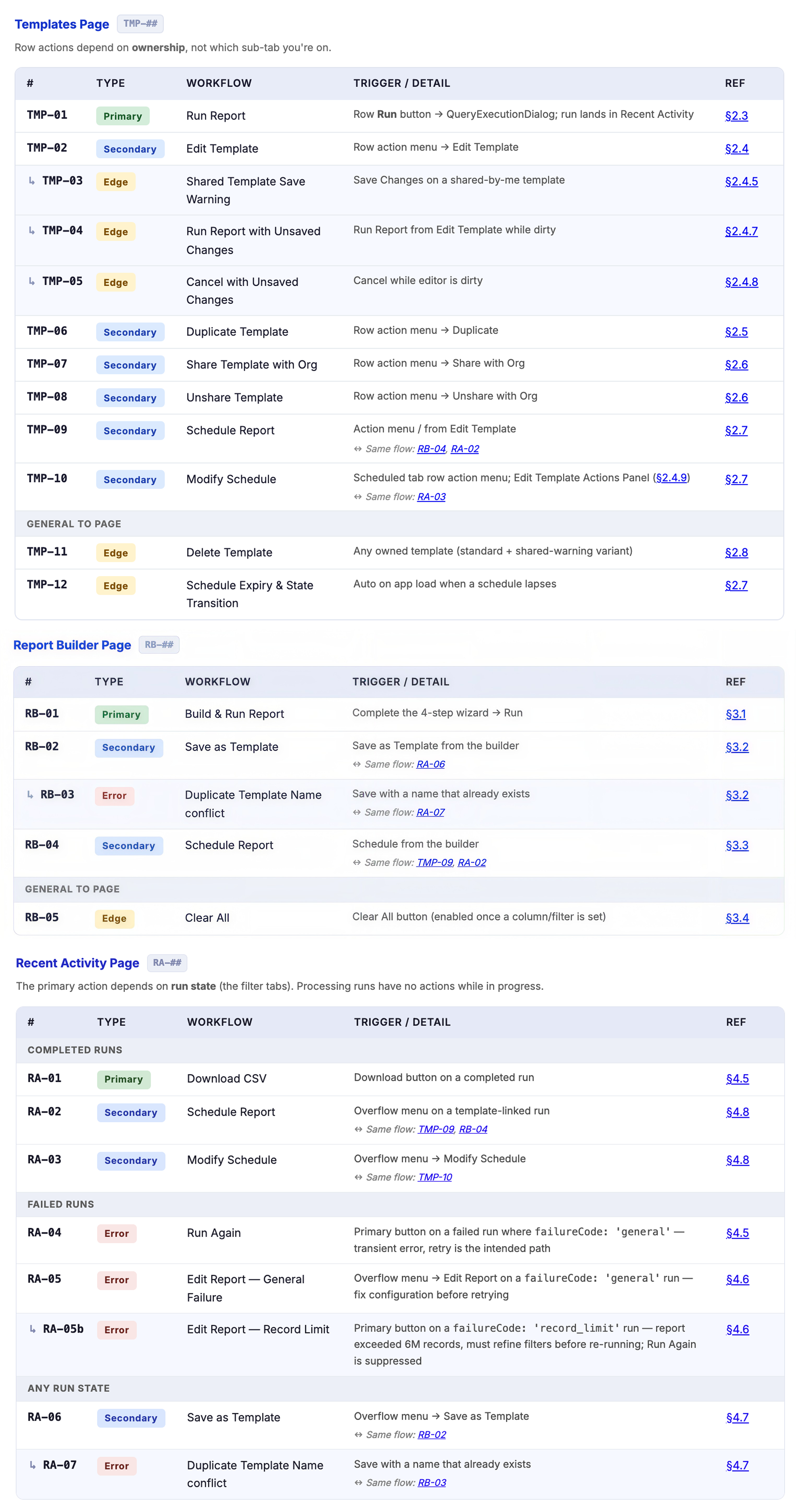
A dialog reachable from three places has to behave the same way from all three, and maintaining that consistency takes deliberate effort. My approach was systems-thinking: mapping relationships as they emerged and documenting each connection at the point it existed, rather than reconstructing it later.
The mechanics: a workflow numbering system and a dedicated audit pass to make sure connected workflows stay consistent.
The broader practice: treat connections between flows as a deliverable in their own right, not a byproduct of designing screens.
Tracking How It Connects
Tracking connections was only half the work. The other half was knowing when to step in with human judgment instead of leaning on the AI's.
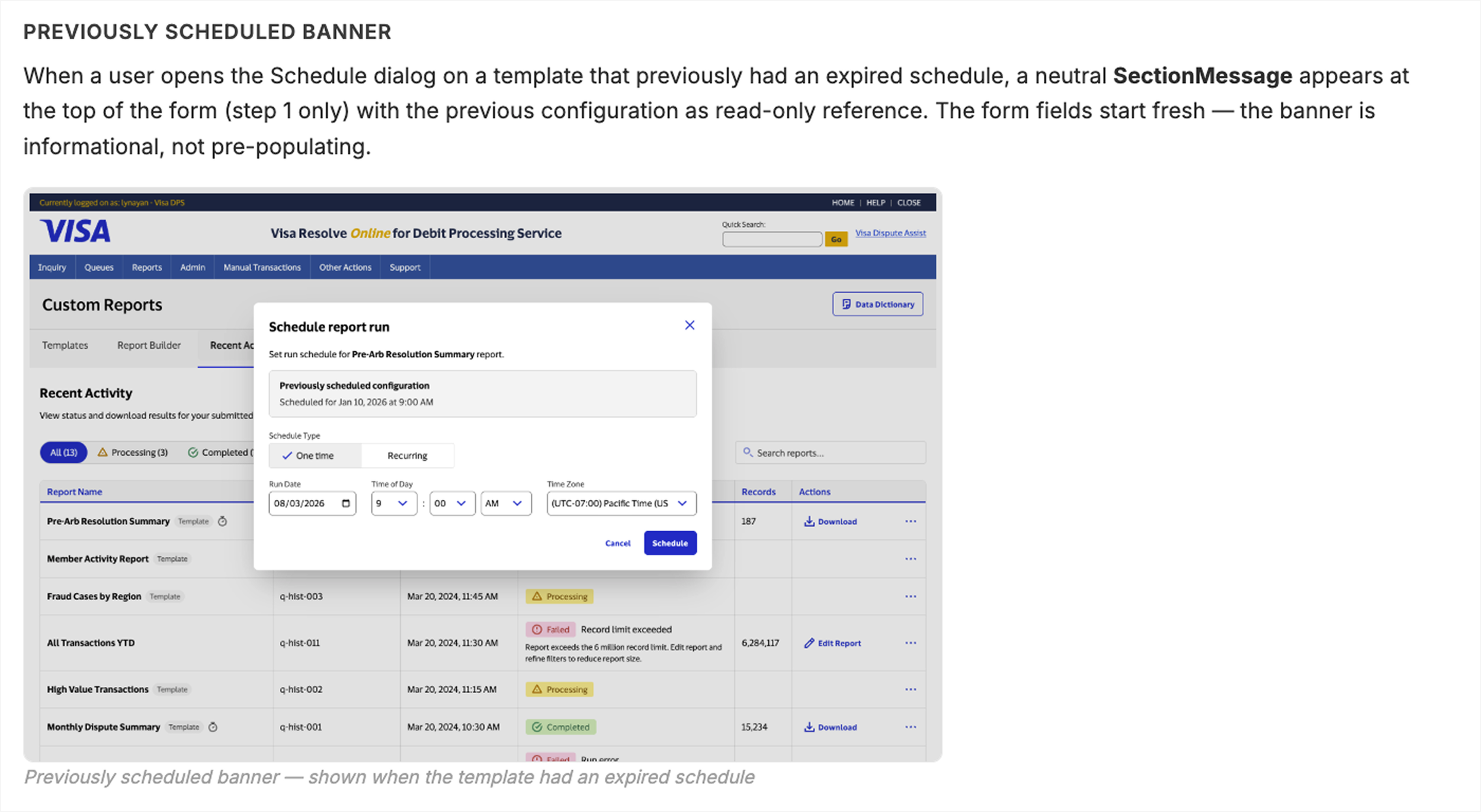
Where two flows met in a gray area, the AI never flagged that a decision was needed. I had to notice the gap and define the rule myself. Nested filter groups needed a rule and user explanation for selections spanning two levels. Scheduled templates needed a decision on how expiration was handled. Both required reasoning about the data model, not just the feature in front of me.
AI vs. Human Judgement Intercepts
Learnings
A review pass on the Dispute Platform work surfaced an unprompted list of edge cases and missing states I had not been asked to cover or scope in. I built that into how I review now: every pass asks what is missing, not only whether what I asked for is correct.
AI Raises The Bar For Completeness
AI-generated prototypes look finished almost immediately: real components, real spacing, real data. That helps momentum, but it creates a fidelity mismatch, because stakeholders can read visual polish as functional completeness when the flow logic underneath is still rough or absent. Naming that gap in every review became part of my role: the visual is further along than the logic, and it should not be signed off as if it were complete.
Visual Polish Is Faster Than Logic
A prototype handed to me, like product's initial build of the Dispute Platform work, carries logic that was assumed in order to fill gaps in the requirements, not logic anyone deliberately decided on. It is easy to mistake that assumption for a real constraint and design around it as fixed. That is why working through requirements directly with stakeholders matters more now, not less: I cannot treat anything in an inherited prototype as settled until I have confirmed it reflects a decision.
Inherited Logic Doesn’t Equal Inherited Requirements
AI holds a great deal of detail within one conversation, but it will not notice that two entry points into the same dialog have drifted apart across iterations. That has to be caught by a system rather than by memory.
Consistency At Scale Is Harder Than Output Quality
AI defaults toward what's reasonable, not what's right for this product, like a status badge stretched to fill its column. Sizing it to its content and left-aligning it instead was a small call, but the kind that comes from having a point of view on the product, not from the model.
Taste Still Had To Be Mine